
Valken Knife Controls, Combat Status, and Loadout Guide
Valken knife combat binds directly to slot 5 in the tactical loadout. In the Steam demo, equipping the blade readies a close-quarters stance, though melee strikes remain inactive, requiring players to rely on suppressed firearms for quiet takedowns.
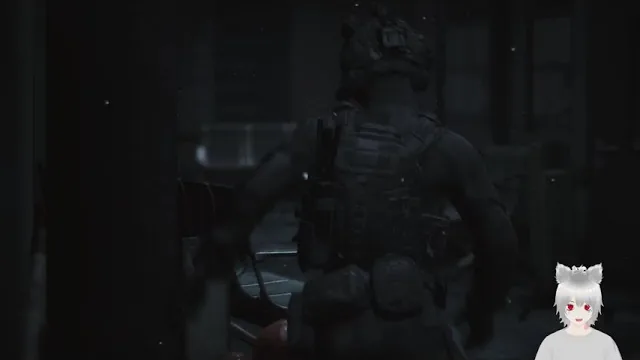
Valken knife combat binds directly to slot 5 in the tactical loadout. In the Steam demo, equipping the blade readies a close-quarters stance, though melee strikes remain inactive, requiring players to rely on suppressed firearms for quiet takedowns.
Equipping the Knife and Loadout Slots
Revane Studio assigns weapon selection to standard number keys across keyboard layouts. Pressing key 5 pulls the combat knife into your operative's hands. The character model holds the blade forward in a ready grip, matching the dark tactical military aesthetic seen across the hospital and Edenbrook Airport infiltration sequences.
The full weapon hotbar in the public test version functions across distinct numbered slots:
- 1: Holster weapons to keep hands free.
- 2: Sidearm drawn in a single-handed carry.
- 3: Sidearm raised in a stable two-handed firing stance.
- 4: Primary assault rifle.
- 5: Tactical combat knife.
While the knife equips instantly, swinging or slashing commands currently produce no weapon strike. On the Steam community forums, players discussing demo mechanics pointed out that knife combat does not trigger hit registers or attack swings against hostile targets. When cornered by infected runners in tight corridors, pressing action keys like E triggers physical shoves and defensive knockbacks rather than a dedicated blade attack.
Weapon Choices in Close-Quarters Infiltration
Because the knife functions as an equipped blade without an offensive swing in the preview build, choosing between your available equipment requires careful attention to sound and ammunition reserves. Managing limited magazine pools remains central to survival in both the medical facility corridors and terminal concourses.
| Weapon Option | Best Situation | Tactical Trade-off |
|---|---|---|
| Tactical Knife (Slot 5) | Weapon inspection and low-profile scouting | Lacks an active attack swing in the current demo build |
| Suppressed Handgun (Slot 2 or 3) | Quiet room clearing in close-quarters hallways | Consumes limited handgun magazines |
| Primary Rifle (Slot 4) | Engaging hostile survivors and infected crowds | Produces loud audio cues that alert reactive enemies |
For quiet infiltration, operatives achieve the best results by following a dedicated stealth guide approach. Pressing the Alt key slows movement speed to minimize footstep audio, while the suppressed pistol eliminates hostile guards before they call in reinforcements.
Infiltration Controls and Story Investigation
The knife also appears as an environmental story clue during the initial hospital mission. Your primary objective directs you to search the facility to find a missing doctor and recover his research. Upon reaching the target room, pressing E allows you to inspect the doctor's body, revealing stab wounds and a discarded blade on the floor rather than marks from infected bites.
To handle movement and situational awareness around this investigation site, players use a specific suite of keybinds:
- E: Inspect corpses, interact with doors, or tap rapidly to force heavy security gates open.
- B: Scan the immediate zone or switch camera shoulder angles.
- C: Alternate between first-person perspective and third-person view.
- N: Activate quad-tube night vision goggles when navigating dark basements.
- Alt: Engage slow walking pace to keep noise output low.
Managing Firefights in the Steam Demo
Engaging hostile human scavengers and infected hostiles requires transitioning from slot 5 back to ranged weapons. The Steam demo features strict inventory constraints where reloading discards remaining rounds inside the dropped magazine. Conserving shots from the primary rifle becomes mandatory once you enter the open passenger halls of Edenbrook Airport.
Our combat guide outlines how players can pick up dropped firearms from eliminated survivor gunmen. Approaching a fallen enemy and interacting with their discarded weapon replenishes ammunition or provides a fresh assault rifle loaded with full magazines. Utilizing glass windows for line-of-sight protection and aiming for headshots preserves your limited supplies while Revane Studio continues developing full melee and close-quarters systems ahead of the planned Q1 2027 launch.
Next step
Stealth Guide
Examine infiltration mechanics, vertical movement options, and AI detection systems to execute undetected runs across hostile military territory.