
Valken First Person or Third Person: Camera Comparison and Controls
Valken supports both first-person and third-person perspectives, allowing players to toggle between them instantly by pressing the C key. Third-person provides reliable environmental awareness around tight corners, while first-person delivers direct weapon sight alignment despite early demo camera clipping issues.
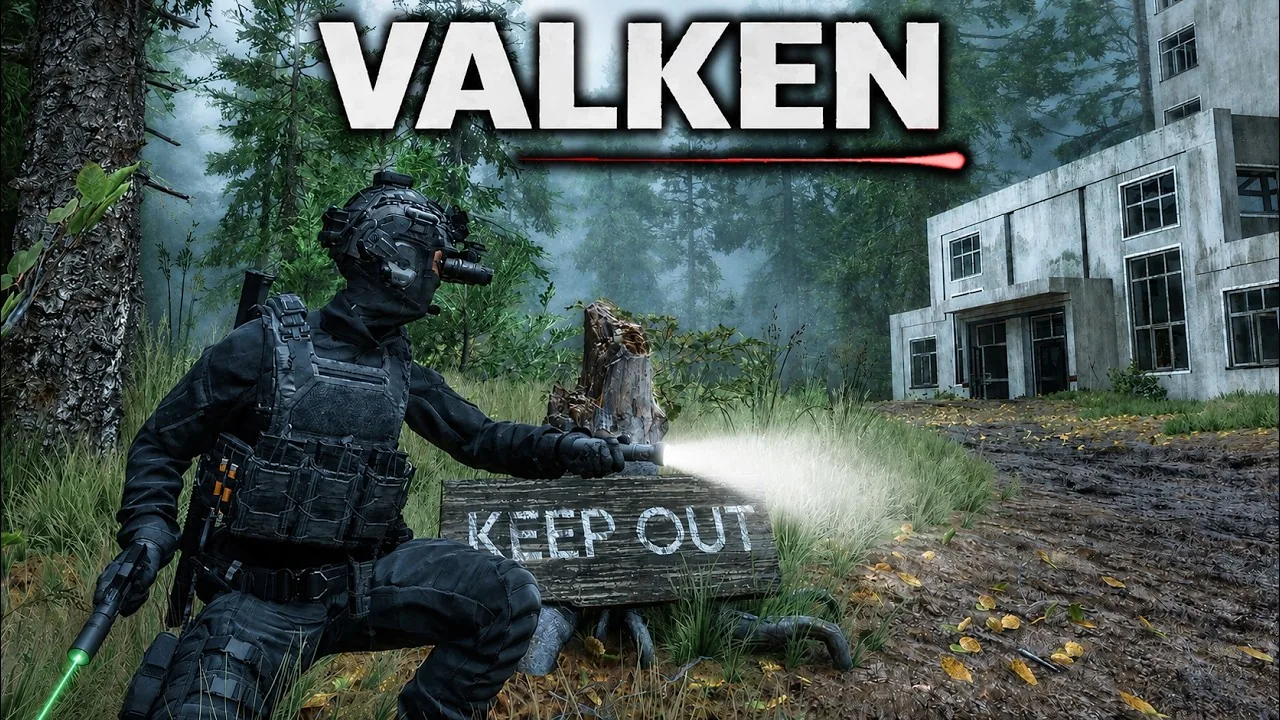
Valken supports both first-person and third-person perspectives, allowing players to toggle between them instantly by pressing the C key. Third-person provides reliable environmental awareness around tight corners, while first-person delivers direct weapon sight alignment despite early demo camera clipping issues.
Camera Controls and Perspective Toggling
The tactical system designed by Revane Studio allows real-time swapping between camera angles during missions. Players switch perspectives on the fly by pressing the C key on the keyboard. This toggle functions across both operational levels featured in the Steam demo, including St. Helena Hospital and Edenbrook Airport.
In third-person mode, players can adjust their aiming shoulder alignment. Pressing V or B swaps the camera angle from the right shoulder to the left, which helps when peeking around doorframes without exposing the operator's torso. Movement controls also feature dedicated stances that interact with the camera angle. Pressing X places the operative into wall cover, while Alt drops movement speed to a slow walk to maintain steady weapon aim.
| Camera Mode | Tactical Advantages | Current Demo Limitations |
|---|---|---|
| Third-Person (TPS) | Wider peripheral vision around doorframes, clear display of operator stance and inertia | Narrow hospital corridors can cause props to crowd the frame |
| First-Person (FPS) | Direct alignment through iron sights and holographic optics, clear close-quarters targeting | Camera clips into the character helmet model when turning rapidly or looking upward |
Third-Person Movement and Environmental Awareness
Third-person serves as the standard viewpoint when starting an infiltration run. The third-person camera frames the fully geared operative from behind, displaying tactical equipment, holstered secondary weapons, and footwork. Directional shifts incorporate player inertia, creating fluid transitions when changing running directions or dropping into a crouch.
Using the over-the-shoulder view makes searching for objectives and tracking shambling enemies manageable in confined environments. During the hospital mission to locate the doctor's research, the third-person camera keeps sightlines open while checking corners and medical rooms. When clearing hostile survivor patrols in the airport terminal, the wider field of view helps track distant shooters before they open fire. Review our keybinds reference for detailed mappings covering stance and equipment controls.
First-Person Perspective Mechanics and Known Issues
Switching to first-person view changes the experience into a direct tactical shooter reminiscent of room-clearing simulations. First-person places your perspective behind the weapon sights, making headshots against infected targets more precise in narrow corridors. In dimly lit hallways where the N key toggles night vision goggles or the T key activates the flashlight, first-person intensifies visual focus on dark entryways.
The early demo build exhibits several documented visual bugs when using first-person view. Looking straight up or sweeping the mouse rapidly causes the camera to clip inside the character model, revealing the interior of the operator's helmet. Steam community discussions also identify graphical ghosting on holographic weapon sights when panning quickly. Furthermore, swapping between firearms or equipping the knife using number keys while in first person can trigger visual glitches where character limbs clip through the view.
Choosing the Right Perspective for Combat Encounters
Perspective selection directly influences survival across different operational phases. Third-person remains the safer option for corridor movement, obstacle traversal, and situational awareness. Seeing the operator's complete profile makes it easier to navigate around airport barricades, debris, and luggage piles without snagging on environmental geometry.
First-person provides an advantage when engaging entrenched human enemies who return fire with rifles. Aiming down weapon sights allows accurate target acquisition before taking fatal hits, as incoming rifle rounds eliminate an operator in two shots. Consulting our combat guide outlines additional firearm tactics for handling both hostile survivors and infected threats. Switching to first person works well once positioned behind cover, whereas returning to third person aids room traversal across this unforgiving single player experience.
Next step
Single Player
Examine Valken single player modes, stealth systems, camera perspectives, and tactical mechanics built specifically for solo operative gameplay.
Related Guides
Choices and Consequences
Examine how tactical routing, gear management, and combat decisions trigger unforgiving mission outcomes across the solo operations in Valken.
Difficulty Mechanics
Understand incoming damage thresholds, enemy threat tiers, and survival methods across tactical gunfights and infected extraction missions.