
Valken Graphics: Unreal Engine 5 Settings and PC Performance
Valken graphics rely on Unreal Engine 5 to produce atmospheric lighting, realistic interiors, and dynamic shadows across tactical environments. Running the Steam demo smoothly requires balancing post-processing, resolution scaling, and reflections against steep GPU demands across hospital and airport infiltration zones.
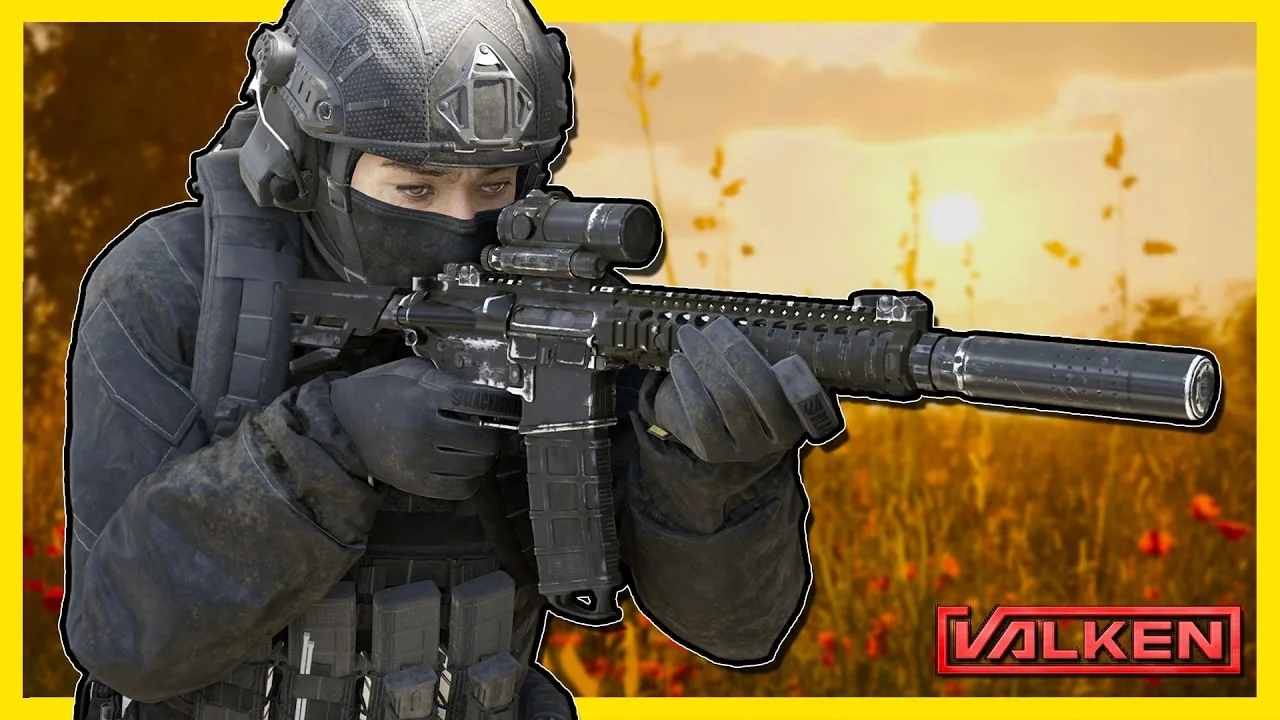
Valken graphics rely on Unreal Engine 5 to produce atmospheric lighting, realistic interiors, and dynamic shadows across tactical environments. Running the Steam demo smoothly requires balancing post-processing, resolution scaling, and reflections against steep GPU demands across hospital and airport infiltration zones.
Unreal Engine 5 Visual Features and Presentation
Revane Studio built the visual presentation on Unreal Engine 5, focusing on atmospheric tension, dynamic lighting, and detailed tactical environments. In the playable demo, levels such as St. Helena Hospital and Edenbrook Airport demonstrate how the rendering pipeline handles confined corridors and open terminals. Dim interior corridors depend heavily on point light sources, flashing emergency lights, and ambient fog to shape line-of-sight visibility during combat encounters.
The tactical lighting design connects directly to player gear. Raising your sidearm or rifle tightens the handheld flashlight beam, allowing you to illuminate distant corners or inspect dark doorways. Night vision mode applies a high-contrast overlay across dark areas when interior power fails. Weapon impacts also feature directional blood spatter that marks adjacent walls based on the angle of impact. The physical environments in both levels feature detailed clutter, overturned hospital gurneys, scattered luggage, and broken computer terminals that reinforce the post-outbreak setting constructed in the engine.
Official PC System Requirements
The official Steam store page specifies hardware targets for running the title on 64-bit Windows systems. Meeting these targets provides a baseline for running the visual pipeline without severe bottlenecks.
Minimum requirements specify:
- Operating System: Windows 10 / 11 (64-bit)
- Processor: Intel Core i5-8400 or AMD Ryzen 5 2600
- Memory: 12 GB RAM
- Graphics: NVIDIA GeForce GTX 1060 (6 GB) or AMD Radeon RX 580 (8 GB)
Recommended requirements specify:
- Operating System: Windows 10 (64-bit)
- Processor: Intel Core i7-10700K or AMD Ryzen 7 3700X
- Memory: 16 GB RAM
- Graphics: NVIDIA GeForce RTX 3060 (12 GB) or AMD Radeon RX 6700 XT
Display and Quality Settings Configuration
The in-game options menu provides several visual toggles to balance image clarity against render latency. Available parameters include an overall quality preset selector, resolution scaling, dynamic resolution, post-processing quality, reflections toggle, view distance adjustments, and a frame rate limiter with an unlimited setting.
| Preset Level | Target Hardware Profile | Visual and Frame Rate Impact |
|---|---|---|
| Low Preset | Systems meeting the minimum GTX 1060 or RX 580 baseline | Disables reflections and lowers post-processing to maintain playable frame rates during indoor firefights |
| Medium Preset | Mid-tier cards such as the RTX 3060 or RTX 4060 | Keeps standard flashlight illumination and interior textures intact while stabilizing scene rendering |
| High or Ultra Preset | High-tier GPUs matching or exceeding recommended specifications | Renders full shadow detail, complex fog passes, and high-resolution geometry at heavy hardware demand |
Adjusting graphics presets in the menu can cause a brief delay while new textures stream into memory. During this streaming window, environmental surfaces may display lower-detail placeholder textures for several seconds before full surface resolution settles. Disabling reflections and scaling back post-processing provides the fastest boost to baseline stability on mid-range hardware configurations.
Perspective and Camera Rendering
The game supports toggling between first person or third person views during active gameplay. Default keybinds assign view switching to the C key, while keys such as V and B allow operators to alternate shoulder perspectives to peek around corners.
Third-person rendering highlights detailed character gear, tactical respirators, and directional weapon handling animations. First-person rendering brings weapon sights directly to eye level, though sudden vertical camera sweeps in early test builds can expose near-plane clipping around the operator helmet model. Choosing between perspectives alters how shadows, reticle placement, and flashlight illumination align with targets during close-quarters engagements.
Next step
RTX 5090 Performance
Compare Valken official PC requirements against top-tier graphics cards to configure smooth Unreal Engine 5 visual settings.